


Revealed Travel Guides
3.963.00 Reviews
App Specs
- Version
- 6.29.21
- Updated On
- License
- Free
- Downloads
- 10,000+
- Developer
- Wizard Publications, Inc.
- Categories
- Travel & Local
- Platform
- Android
Screenshots
 Analysis by AppCompare
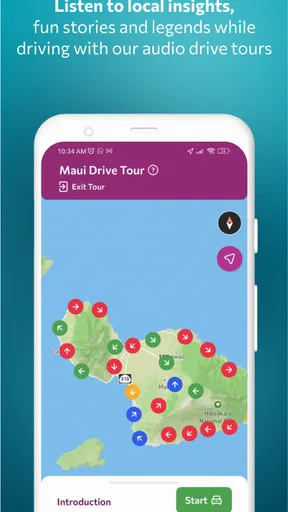
My first impression of Revealed Travel Guides is that it makes most sense when the journey itself is part of the plan. Rather than treating a destination as a checklist of sights, it puts travel guides and GPS-audio driving tours at the center, with Hawaii as a particular focus and other destinations in view too. That gives it a different feel from a general map app: I’d reach for it when I want context and company on the road, not just a route from A to B.
Why the first week can feel promising
On a first trip, a guide can help turn the gaps between planned stops into part of the experience. A GPS-audio tour is especially appealing on a scenic drive: instead of repeatedly looking down at a screen or trying to read long descriptions while parked, I can listen as I travel and keep my attention on the road. The key distinction is that this is a driving companion, not a replacement for safe navigation. I’d set up the route before moving and leave phone handling to a passenger whenever possible.
Hawaii is a natural use case for this format. A visitor may have a few days, a rental car, and a long list of beaches, viewpoints, and towns competing for attention. A narrated guide can give the drive a sense of direction and make the journey between stops feel less like dead time. It is also a useful fit for travelers who enjoy learning as they go but don’t want to spend every evening researching the next day from scratch.
What gives it value after the novelty wears off
The early appeal of any travel app can fade once the first set of recommendations has been explored. Here, recurring value depends on how often someone takes trips where a guide or audio tour improves the day. For a frequent visitor to the same region, a guide can help shape a different route or encourage a return to places passed by on the first visit. For someone who travels occasionally and prefers to plan every hour independently, it may be something to install for a trip and then leave unused until the next one.
I’d treat it as a specialist addition to a travel toolkit, rather than the one app that does everything. Maps remain better for checking a live route, comparing roads, and finding the quickest way to a specific address. A broad travel-planning app is often more useful for coordinating bookings and schedules. Revealed Travel Guides has a clearer role when I want destination guidance and spoken context during a drive. That narrower purpose can be a strength, but it also means the app earns space on my phone only when its style of travel matches the trip.
The upkeep and practical trade-offs
Before setting off, I’d check that the destination guide and tour I want are ready to use, confirm my route, and make sure the phone is charged and audible through the car setup I plan to use. These simple steps matter more on a remote or unfamiliar drive, where a weak signal or an awkward moment of phone handling can spoil the experience. I would not assume an audio tour replaces turn-by-turn directions, nor would I rely on a travel guide as my only source for current opening hours, road conditions, or safety advice.
There is also a small maintenance cost in attention. A guide is most useful when I choose a route that leaves room to listen, stop, and look around; it is less useful if I am rushing to make a reservation or trying to cover too many attractions in one day. On a passenger-heavy trip, different people may want different pacing, so I’d agree on the day’s priorities first rather than letting any itinerary dictate the whole outing. That keeps the app in a supporting role instead of turning the vacation into a sequence of instructions.
Worth Reading Before You Choose

Baby Panda World Brings Quick Play to Modern Phones, but Its Game Library Feels Busy

ESPN’s Live Game View Makes Following Close Games Easier

QuizzLand Review: A Good Fit for Short Trivia Breaks, Not Every Player

Basketball Stars: Multiplayer Is Fast, but Can It Recover When Matches Go Wrong?

WEBTOON Turns Phone Updates Into a Better Reading Routine

Link to Windows Runs on Shared Habits, Not Social Feeds
Who should make room for it
I’d recommend considering it if you are planning a self-guided road trip, especially in Hawaii, and would enjoy a narrated layer alongside the scenery. It may also suit travelers who find guidebooks too static but still want more substance than a map pin. If you mainly use public transport, need a detailed city transit planner, or want one place to manage reservations and travel documents, this is probably not the right primary app. A regular maps service or a broader trip organizer would fit those jobs better.
The price is free to download, though in-app purchases range from $0.99 to $29.99 per item, so I’d check what a particular guide includes and whether it suits my route before spending. It is listed for Everyone, has a 3.7 average from around 116 ratings, and has been installed over 10,000 times. Wizard Publications, Inc. develops it; its current version is 6.29.8 and it requires Android 7.0 or later. Those details put it in the modest, focused end of travel apps rather than making it a must-have for every traveler.
A practical way to judge the fit is to sketch one realistic day before relying on it. Imagine driving between two planned stops, with a flexible window for a scenic detour. I’d use the guide to add listening and local context to that stretch, while keeping a conventional map available for directions and checking the day’s logistics separately. If the audio makes the drive more engaging without making the schedule feel crowded, that is a meaningful benefit. If I keep pausing it to solve unrelated planning problems, I’d know I need a different tool for that trip.
Getting Started with Revealed Travel Guides
First things first, downloading and installing Revealed Travel Guides was a breeze. It’s available on both Android and iOS, so no matter what device you’re rocking, you’re covered. Once I had it on my phone, I dived right into the setup process, which was surprisingly quick and intuitive.
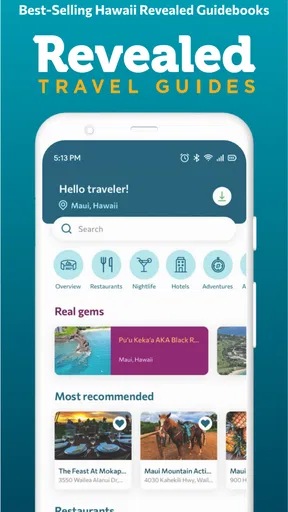
The app asks for your location and travel preferences, which helps in tailoring the experience to suit your wanderlust needs. The interface is sleek and user-friendly, with everything neatly categorized. I found myself navigating through different sections without any hiccups.
Features Worth Exploring
The app is packed with features, but let me highlight a few that really stood out for me:
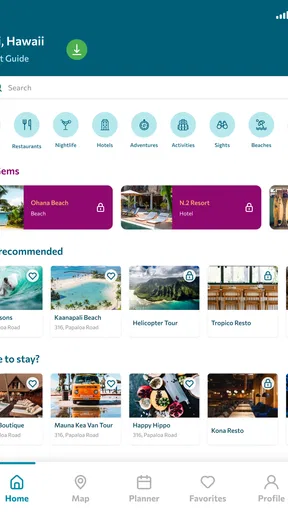
- Personalized Recommendations: Based on your preferences, the app suggests places that you might not find in a typical travel guide. It’s like having a local friend show you around.
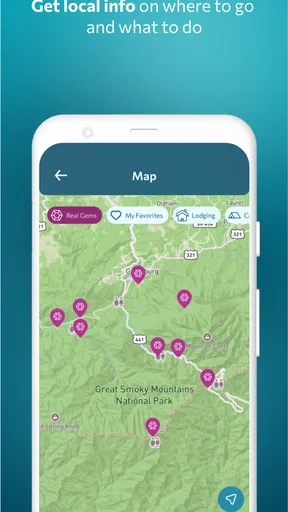
- Offline Maps: This is a lifesaver when you’re abroad and don’t want to rack up data charges. You can download maps and use them even without an internet connection.
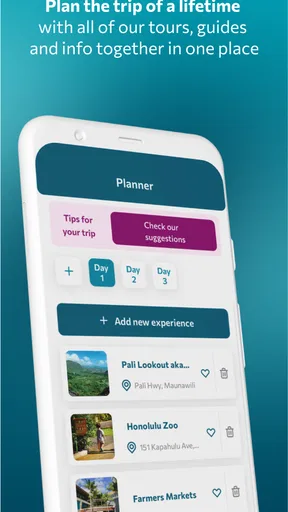
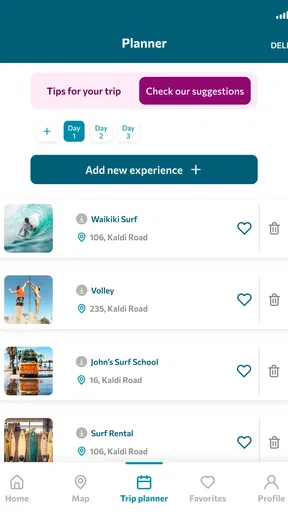
- Interactive Itineraries: You can create and customize your travel itineraries directly in the app. It even suggests the best time to visit each spot to avoid crowds.
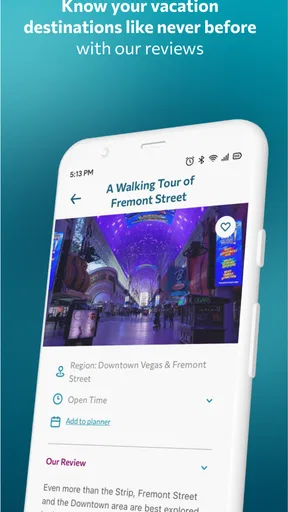
One feature I particularly enjoyed was the local tips. These little nuggets of information are scattered throughout the guide, offering insights into local customs, hidden gems, and even the best places to grab a bite.
The User Experience
Using the app felt like a seamless experience. The developers clearly put a lot of thought into the user interface. I appreciated the clean design and the absence of intrusive ads, which can be a real mood killer when you're trying to plan a trip.
Navigation within the app is intuitive. Whether you're looking to explore a specific category like "Historical Sites" or "Outdoor Adventures," or just browsing through the top destinations, everything is just a tap away. I also loved the search feature; it’s fast and accurate, bringing up exactly what I was looking for.
Real-World Application
I decided to put the app to the test during a weekend trip. Armed with nothing but my phone and a sense of adventure, I set off to explore the city. The personalized recommendations were spot-on. I discovered a quaint little café that wasn’t even on my radar, and it turned out to be a highlight of my trip.
The offline maps were incredibly useful when I found myself in areas with spotty reception. I could easily find my way back to my hotel without any stress. The app’s ability to adjust to my spontaneous plan changes was a massive plus.
Final Thoughts
In the end, Revealed Travel Guides proved to be a fantastic tool for both seasoned travelers and those new to the adventure scene. The app offers a perfect blend of technology and travel, making the planning process almost as enjoyable as the trip itself.
Sure, no app is perfect, and there’s always room for improvement. But with its personalized approach, intuitive design, and practical features, this app is definitely worth a download. Whether you're planning a big international trip or just a local weekend getaway, it’s like having a personal travel concierge right in your pocket.
So, if you’re ready to ditch the stress and embrace the joy of exploring, give Revealed Travel Guides a try. Who knows, you might just stumble upon your new favorite destination!
Pros
- Intuitive user interface for easy navigation.
- Comprehensive maps with offline access.
- Regularly updated with new destinations.
- Interactive features enhance exploration.
- Customizable itineraries for personal needs.
Cons
- Limited coverage in less popular areas.
- Some features require a premium subscription.
- Occasional glitches in map loading.
- High data usage for real-time updates.
- Limited language options available.
FAQs for Revealed Travel Guides
What is Revealed Travel Guides and what does it offer?
Revealed Travel Guides is a comprehensive travel application designed to provide in-depth information about various destinations. It offers detailed maps, insider tips, and must-see locations to enhance your travel experience. The app is ideal for travelers seeking personalized itineraries and local insights to make the most of their adventures.
Is Revealed Travel Guides available on both Android and iOS?
Yes, Revealed Travel Guides is available for download on both Android and iOS platforms. Users can find the app on Google Play Store and Apple App Store. This cross-platform availability ensures that users can access travel information on their preferred devices, enhancing convenience and accessibility.
Does Revealed Travel Guides require an internet connection to function?
While some features of Revealed Travel Guides can be accessed offline, such as downloaded maps and saved itineraries, an internet connection is necessary for real-time updates, booking options, and accessing the latest location-based recommendations. Users are encouraged to download necessary data before traveling to areas with limited connectivity.
Are there in-app purchases or subscription fees associated with Revealed Travel Guides?
Revealed Travel Guides offers a free version with basic features, but to access premium content and advanced functionalities, users may need to make in-app purchases or subscribe to a monthly or yearly plan. This subscription provides enhanced experiences, including exclusive travel tips and ad-free usage.
How user-friendly is Revealed Travel Guides for first-time users?
Revealed Travel Guides is designed with an intuitive interface that caters to both novice and experienced travelers. The app includes a user-friendly navigation system, clear instructions, and helpful tutorials. First-time users can easily explore its features and create personalized travel plans without any hassle.


